
Group orders
Bonchon Family Meal Planning Guide
Plan Bonchon group orders with source-backed table totals, shared starters, sides, duplicate rows, and clear limits around per-person estimates.
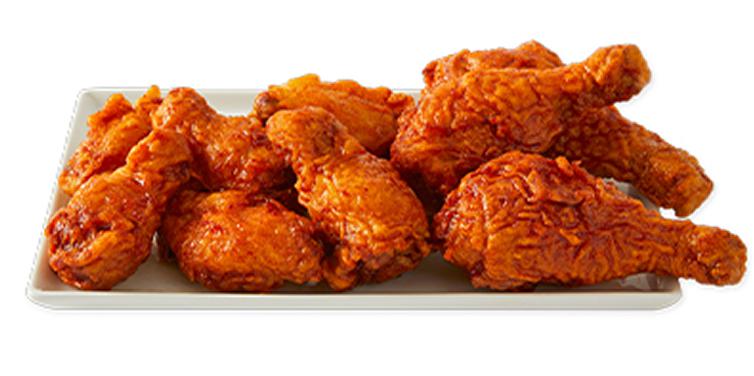 Family Meal Planning
Guide overview
For group orders, the calculator is a table-total tool
Bonchon group meals often combine chicken, sides, rice, starters, sauces, and desserts. The calculator can total those selected rows, but it cannot know who eats which piece, how starters are shared, or whether someone skips a side. That makes the table total useful, while per-person math still needs human context.
Use this guide to build a realistic group order, avoid duplicate or missing rows, compare side bundles, and keep source verification visible before ordering.
How to use this page
Read the row, build the meal, then verify the source
The calculator is strongest when it is used as a comparison workflow. Browse the guide, open the relevant internal links, build exact rows in the calculator, and use official Bonchon pages for current restaurant-controlled details.
Each article in this guide set links back to related planning pages so visitors can move between calories, sodium, sides, protein, group orders, and source limits without losing the context of the full meal.
Build order
Add every shared item before discussing portions
Start with the complete order, not individual guesses.
Add the chicken format, size, flavor, and quantity that matches the order. Then add sides, starters, rice, noodles, salads, desserts, or other source-backed rows. If the group plans two of the same item, use quantity controls instead of adding a mental note outside the calculator.
Once the table total is visible, it is easier to discuss portion expectations. Some people may eat more chicken; some may focus on sides; some may skip dessert. The calculator shows the selected food total, while the group decides how that food will actually be shared.
Open calculator
Build the table total with exact rows and quantities.
Browse menu categories
Use the menu guide to scan chicken, sides, starters, and Korean traditional rows before building the order.
Shared starters
Handle starters and sides as separate rows
Shared items are easy to forget because they may not belong to one person.
Potstickers, shumai, tteokbokki, fries, onion rings, rice, kimchi, pickled radish, edamame, and dessert all need separate attention when they are part of the group order. Add them to the table total even if they will be shared.
After adding supporting items, compare the table total with and without them. That shows whether the group wants all sides, fewer sides, a different mix, or a clearer division between shared starters and individual meals.
Sides and starters guide
Read the supporting-item workflow before planning a table of shared extras.
Sodium guide
Shared sides can affect sodium totals even when the chicken order stays the same.
Per-person estimates
Be careful when dividing a table total
Dividing a shared order evenly is sometimes useful, but it is rarely exact.
If four people split an order evenly, dividing by four can be a rough planning shortcut. But real eating patterns are uneven. One person may eat more wings, another may eat more rice, and another may skip fried sides. Use divided totals only as a rough conversation aid.
For more careful planning, build individual meal ideas separately. Then build the shared items as a second total. That makes it clear which values belong to individual choices and which values belong to the table.
Protein and macros
Use macro comparisons when different people care about different nutrition fields.
Low-calorie planning
Build realistic lower-calorie alternatives for individual meals before adding shared items.
Verify
Use source checks before ordering for a group
Group orders are more likely to include substitutions, allergens, and changing availability.
Before ordering, verify current official menu and nutrition information, especially when someone in the group has an allergy, medical diet, sodium limit, or ingredient concern. A calculator total is useful, but it is not a live restaurant availability or allergen system.
Copy the calculator summary when you want the group to review exact rows and quantities. That makes it easier to catch missing sides, duplicate items, or a flavor choice that was assumed but not selected.
Source and allergen limits
Use the source guide when group members have allergy or dietary concerns.
Official menu
Check official availability before finalizing a large order.
FAQ
Quick answers about this guide
Short answers for visitors using the calculator as a planning reference.
Can I divide a Bonchon group order by the number of people?
You can use that as a rough planning shortcut, but it is not exact because shared food is rarely eaten evenly.
Should shared sides be added to the calculator?
Yes. Add every shared side or starter that belongs in the order so the table total is complete.
Source boundary
Independent guide with dated source references
This article is part of an independent Bonchon calorie calculator site. Nutrition values are planning references from the saved 2026-06 nutrition source and related menu snapshot. Verify current details through official Bonchon sources before ordering, especially for allergens, ingredients, sodium limits, medical diets, prices, and availability.