
Author: bonchoncaloriecalculator

  • Bonchon Protein and Macro Guide

    Macro comparison

    Bonchon Protein and Macro Guide

    Compare protein, calories, carbs, sugar, fat, saturated fat, and sodium together when building a Bonchon meal from source-backed rows.
    Open calculator All guides
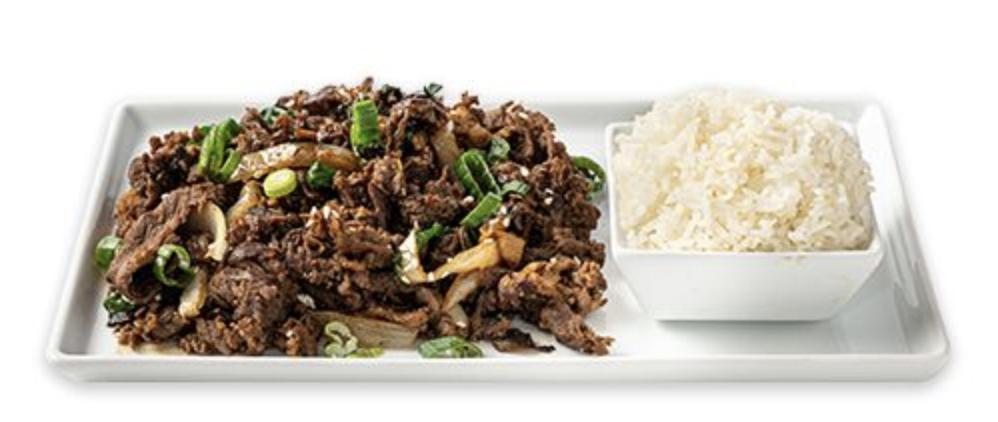
    Bonchon bulgogi used as a protein and macro comparison example Protein and Macros

    Guide overview

    Macros make Bonchon comparisons more useful than calories alone

    The Bonchon calculator displays more than calories because menu choices can differ in several ways at once. Protein, carbohydrates, sugar, fat, saturated fat, sodium, and calories all answer different planning questions. Reading them together gives a clearer picture than choosing the lowest or highest number in one column.

    This guide is for general meal comparison, not medical advice or a diet prescription. Use it to understand how source-backed rows compare, then verify current official details for ingredients, allergens, and any dietary needs that require accuracy beyond a planning estimate.

    How to use this page

    Read the row, build the meal, then verify the source

    The calculator is strongest when it is used as a comparison workflow. Browse the guide, open the relevant internal links, build exact rows in the calculator, and use official Bonchon pages for current restaurant-controlled details.

    Each article in this guide set links back to related planning pages so visitors can move between calories, sodium, sides, protein, group orders, and source limits without losing the context of the full meal.

    Protein

    Compare protein only after matching the serving

    Protein is useful, but it must be read against the same serving logic as every other field.

    A chicken row, bulgogi row, tofu choice, seafood item, salad protein, or bowl add-on can change protein. Before comparing, make sure the serving and variant match the item you mean. A larger order can show more protein simply because it is larger.

    Once the serving is matched, compare protein alongside calories and sodium. A higher-protein item may be a better fit for one visitor and a worse fit for another depending on the surrounding fields. The calculator helps you see those tradeoffs without turning one nutrient into the whole decision.

    Build a protein comparison

    Select two meal ideas in the calculator and compare protein with calories, sodium, and fat.

    Open calculator

    Wings and chicken formats

    Compare wings, drumsticks, strips, boneless chicken, and combos by their exact source rows.

    Wings guide

    Carbs and sugar

    Watch rice, noodles, buns, breading, sauce, and dessert

    Carbohydrates and sugar can come from obvious and less obvious parts of the order.

    Rice dishes, noodle soups, japchae, buns, tacos, sandwiches, breading, fries, sauces, glazes, and desserts can all affect carbohydrates. Sugar can appear in sauces, sweet glazes, desserts, and some prepared sides. That means a chicken-heavy order is not automatically low in carbs, and a rice-based order is not automatically the only carb source.

    Use the calculator totals to compare the full meal. If you add a side, a dessert, or an extra sauce row where available, watch how carbohydrates and sugar move. This is especially useful when calories look similar but carbs or sugar tell a different story.

    Low-calorie planning

    A lower-calorie option may still differ in carbs or sugar, so compare both guides together.

    Low-calorie guide

    Sides and starters

    Supporting items often explain why carbs or sugar changed after the main item stayed the same.

    Sides guide

    Fat fields

    Read fat and saturated fat as separate context fields

    Fried preparation, sauces, protein choices, and sides can all affect fat fields in different ways.

    Total fat and saturated fat are related but not identical. A comparison that checks only calories can miss meaningful differences between chicken formats, fried sides, rice dishes, noodles, and add-on choices. If fat fields matter to your planning, keep them visible while comparing meals.

    Do not assume every fried item has the same profile. The source row is the authority for the calculator. If an item is not present in the source-backed dataset, this site leaves it out instead of estimating fat or saturated fat from a similar item.

    Nutrition source guide

    Review how the source-backed dataset is constructed before relying on row comparisons.

    Nutrition guide

    Menu categories

    Browse categories when you want to compare fried chicken, Korean traditional items, sides, and salads.

    Menu guide

    Meal totals

    Macros should be compared at the meal level

    A single item row is useful, but a real order usually combines several rows.

    Build the meal you are actually considering, including sides and shared starters. Then compare protein, calories, carbs, sugar, fat, saturated fat, and sodium. This avoids a common mistake: choosing a main item for one macro target, then adding sides that change the meal in another direction.

    For groups, the table total is not the same as a personal macro target. The calculator can show the published source total for all selected rows, but people divide shared food unevenly. Use the group planning article when the order is meant for more than one person.

    Family meal planning

    Use group totals as planning context, not exact per-person nutrition.

    Group guide

    Source and allergen limits

    Macro rows are not ingredient or allergen guarantees.

    Source limits

    FAQ

    Quick answers about this guide

    Short answers for visitors using the calculator as a planning reference.

    Which Bonchon item has the most protein?

    Use the calculator to compare current source-backed rows by exact serving and variant. A largest protein number may also reflect a larger serving.

    Are macros enough for dietary planning?

    No. Macros are useful context, but medical, allergen, and strict dietary decisions need current official verification and qualified guidance.

    Source boundary

    Independent guide with dated source references

    This article is part of an independent Bonchon calorie calculator site. Nutrition values are planning references from the saved 2026-06 nutrition source and related menu snapshot. Verify current details through official Bonchon sources before ordering, especially for allergens, ingredients, sodium limits, medical diets, prices, and availability.
  • Bonchon Sodium Guide

    Sodium planning

    Bonchon Sodium Guide

    Use this guide to read Bonchon sodium values by source row, sauce, side, and meal total while staying clear about medical and official-source limits.

    Open calculator All guides
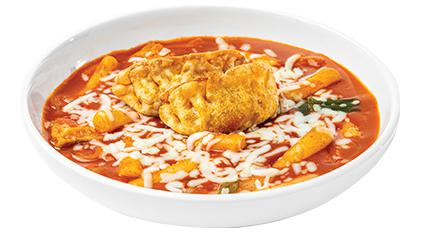
    Bonchon tteokbokki used as a sodium planning example Sodium Guide

    Guide overview

    Sodium is a separate planning field, not a footnote

    Bonchon meals can include fried chicken, sauces, soups, rice dishes, noodles, seasoned sides, pickled items, and shared starters. Sodium can move through all of those choices, so it should be read as its own field instead of assumed from calories.

    This guide explains how to compare sodium in the calculator without turning the site into medical advice. If you have a sodium limit or health condition, use this as a general planning tool and verify current official details with qualified guidance.

    How to use this page

    Read the row, build the meal, then verify the source

    The calculator is strongest when it is used as a comparison workflow. Browse the guide, open the relevant internal links, build exact rows in the calculator, and use official Bonchon pages for current restaurant-controlled details.

    Each article in this guide set links back to related planning pages so visitors can move between calories, sodium, sides, protein, group orders, and source limits without losing the context of the full meal.

    Source rows

    Match the serving before judging sodium

    A sodium value is only meaningful after the serving and variant are clear.

    A larger serving can show more sodium because it contains more food. A sauce variant can show different sodium because the source treats it as a different row. A side can add sodium even when the main item stays the same. Start by matching the exact source row, then compare totals.

    This is why the calculator displays item details and quantities instead of hiding them behind one summary number. When sodium is important, keep the selected rows visible and check each item that contributes to the total.

    Use exact calculator rows

    Build the meal from the same rows you plan to order, then read sodium in the totals panel.

    Open calculator

    Review source rules

    The nutrition guide explains why source rows, dates, and missing items matter.

    Nutrition guide

    Sauce and seasoning

    Look closely at sauce, heat, seasoned sides, and pickled items

    Sodium can be influenced by preparation and seasoning, not only by the main protein.

    Bonchon flavor choices are part of the order. When the source separates sauce or heat variants, choose the matching row. Seasoned fries, kimchi, pickled radish, soups, rice dishes, noodles, and starters can also contribute to sodium totals. Add them individually instead of focusing only on the main item.

    A useful sodium comparison often pairs two meal builds. For example, compare wings with one side to wings with another side, or a chicken item with a rice or noodle item. The full total is more useful than a single row when the real order includes more than one item.

    Wings and sauces

    Use the wings guide when sauce or heat variants are part of the sodium comparison.

    Wings guide

    Sides and starters

    Use the sides guide to audit the supporting items that can move sodium totals.

    Sides guide

    Full meal totals

    Read sodium with calories, carbs, fat, sugar, and protein

    A lower-calorie meal is not automatically lower in sodium, and a higher-protein meal may still be high in sodium.

    Use sodium as its own column in your comparison. If two meals have similar calories, sodium may still separate them. If one meal has more protein, sodium may still be a consideration. If a side looks small, it may still change sodium in the total.

    The calculator keeps the full panel together so you can decide which tradeoff matters for your planning. This is especially important when comparing sauced chicken, fried sides, rice dishes, noodle soups, and shared appetizers.

    Macro guide

    Compare sodium with protein, carbs, sugar, fat, and calories instead of reading it in isolation.

    Macro guide

    Low-calorie guide

    Lower-calorie planning should still include a sodium check.

    Low-calorie guide

    Medical limits

    Use official verification for sodium-restricted needs

    This site is informational and independent. It is not a medical or allergen tool.

    Published nutrition rows can change, and real orders can vary by recipe updates, location availability, portioning, sauce application, and preparation. For sodium-restricted diets or medical needs, use official Bonchon sources and qualified health guidance.

    The safest role for this calculator is pre-order planning. It can show which rows and combinations deserve closer attention, but it should not be the final authority when sodium accuracy has health consequences.

    Source and allergen limits

    Read the source-limit guide before using nutrition rows for any high-stakes decision.

    Source limits

    Nutrition disclaimer

    Review the site disclaimer for independent-source limitations.

    Read disclaimer

    FAQ

    Quick answers about this guide

    Short answers for visitors using the calculator as a planning reference.

    Is a lower-calorie Bonchon order always lower in sodium?

    No. Calories and sodium are separate fields. Compare sodium directly in the calculator totals.

    Can I use this guide for a sodium-restricted diet?

    Use it only as general planning context. Sodium-restricted diets need current official information and qualified guidance.

    Source boundary

    Independent guide with dated source references

    This article is part of an independent Bonchon calorie calculator site. Nutrition values are planning references from the saved 2026-06 nutrition source and related menu snapshot. Verify current details through official Bonchon sources before ordering, especially for allergens, ingredients, sodium limits, medical diets, prices, and availability.
  • Bonchon Sides and Starters Nutrition Guide

    Supporting items

    Bonchon Sides and Starters Nutrition Guide

    Understand how Bonchon sides, starters, rice, noodles, fried items, pickled items, and desserts can change a meal total.

    Open calculator All guides
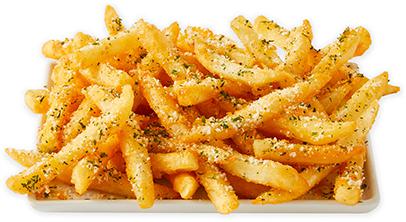
    Bonchon seasoned fries used as a sides nutrition example Sides and Starters

    Guide overview

    Sides and starters often explain why a meal total changed

    Bonchon sides and starters can be easy to treat as extras, but extras still have nutrition rows. Fries, seasoned fries, onion rings, rice, kimchi, pickled radish, edamame, zucchini fries, potstickers, shumai, tteokbokki, takoyaki, and desserts can all change the total when they are part of the order.

    This guide focuses on the planning workflow. Add each supporting item separately, compare what changed, and verify official details for current availability and ingredients before ordering.

    How to use this page

    Read the row, build the meal, then verify the source

    The calculator is strongest when it is used as a comparison workflow. Browse the guide, open the relevant internal links, build exact rows in the calculator, and use official Bonchon pages for current restaurant-controlled details.

    Each article in this guide set links back to related planning pages so visitors can move between calories, sodium, sides, protein, group orders, and source limits without losing the context of the full meal.

    Sides

    Treat sides as real nutrition rows, not background items

    A side can shift calories, sodium, carbs, fat, or sugar even when the main item stays the same.

    Fried sides and seasoned sides can add calories, fat, sodium, and carbohydrates. Rice can add carbohydrates. Kimchi and pickled items can affect sodium. Vegetable sides still need source rows because the preparation matters. The safest method is to add the exact side and serving shown in the calculator.

    If you are choosing between two sides, build the same main item twice with different sides and compare the totals. This prevents the common mistake of judging the main item while ignoring what the side did to the final meal.

    Open side categories

    The menu guide lists side category examples and calculator-linked item cards.

    Menu guide

    Compare sodium carefully

    Seasoned and pickled items can make sodium worth checking separately.

    Sodium guide

    Starters

    Shared starters need table totals and portion context

    Starters can be planned as a table item, but the calculator cannot know how people will share them.

    Potstickers, shumai, tteokbokki, takoyaki, bulgogi fries, corn dogs, and similar starter-style rows should be added when they are part of the order. The total represents the selected source row and quantity. If the starter is shared, decide separately how much each person expects to eat.

    For family or group planning, build the full order first. Then talk about portion expectations. This keeps the calculator honest: it gives the source-backed table total, while people handle the real-world sharing decision.

    Family meal planning

    Use the group guide for shared starters, multiple chicken orders, and side combinations.

    Group guide

    Use exact source rows

    The calculator lets you add starter rows by quantity before comparing the full table total.

    Open calculator

    Rice, noodles, and handhelds

    Not every supporting item is a side

    Rice dishes, noodle dishes, buns, tacos, and sandwiches can function as mains or add-ons depending on the order.

    A bowl or noodle item may be the main meal for one visitor, while a bun or taco could be an add-on for another. Read the source row, then decide how it fits the order. The calculator does not label a row as good or bad; it shows how it changes the meal total.

    This is where category browsing helps. Scan Korean traditional items, buns/wraps/tacos, Asian fusion items, and sides in the menu guide, then open the calculator for exact totals.

    Macro guide

    Rice, noodles, buns, and sauces can change carbs and sugar while also affecting protein and fat.

    Macro guide

    Low-calorie guide

    Compare realistic swaps when calories are the primary planning field.

    Low-calorie guide

    Desserts and finishers

    Add dessert after the main meal, not after the decision

    Dessert can change sugar, carbohydrates, and calories after the main order looks settled.

    When dessert is part of the plan, add it to the calculator before deciding the meal total. A dessert row can be small in the order flow but meaningful in sugar, carbs, or calories. If dessert is shared, treat it the same way as a starter: total the source row, then decide how it will be divided.

    Availability can vary, and dessert rows can change with menu updates. Verify current official menu and nutrition details before treating a dessert comparison as current ordering information.

    Nutrition guide

    Use the nutrition guide to understand what the source dataset covers and leaves out.

    Nutrition guide

    Official menu

    Use the official menu for current availability before relying on any dessert or limited item.

    Official menu

    FAQ

    Quick answers about this guide

    Short answers for visitors using the calculator as a planning reference.

    Are sides included in Bonchon chicken calories?

    Do not assume so. Add sides separately unless the source row explicitly includes them in the listed serving.

    How should I handle shared starters?

    Use the calculator for the table total, then decide separately how the starter will be divided among people.

    Source boundary

    Independent guide with dated source references

    This article is part of an independent Bonchon calorie calculator site. Nutrition values are planning references from the saved 2026-06 nutrition source and related menu snapshot. Verify current details through official Bonchon sources before ordering, especially for allergens, ingredients, sodium limits, medical diets, prices, and availability.
  • Bonchon Family Meal Planning Guide

    Group orders

    Bonchon Family Meal Planning Guide

    Plan Bonchon group orders with source-backed table totals, shared starters, sides, duplicate rows, and clear limits around per-person estimates.

    Open calculator All guides
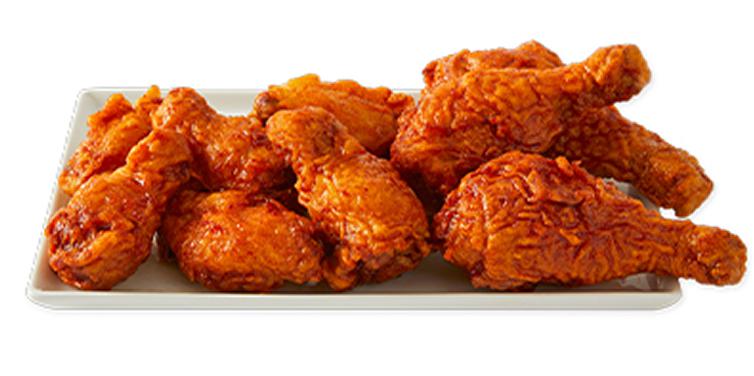
    Bonchon combo meal used for family meal planning Family Meal Planning

    Guide overview

    For group orders, the calculator is a table-total tool

    Bonchon group meals often combine chicken, sides, rice, starters, sauces, and desserts. The calculator can total those selected rows, but it cannot know who eats which piece, how starters are shared, or whether someone skips a side. That makes the table total useful, while per-person math still needs human context.

    Use this guide to build a realistic group order, avoid duplicate or missing rows, compare side bundles, and keep source verification visible before ordering.

    How to use this page

    Read the row, build the meal, then verify the source

    The calculator is strongest when it is used as a comparison workflow. Browse the guide, open the relevant internal links, build exact rows in the calculator, and use official Bonchon pages for current restaurant-controlled details.

    Each article in this guide set links back to related planning pages so visitors can move between calories, sodium, sides, protein, group orders, and source limits without losing the context of the full meal.

    Build order

    Add every shared item before discussing portions

    Start with the complete order, not individual guesses.

    Add the chicken format, size, flavor, and quantity that matches the order. Then add sides, starters, rice, noodles, salads, desserts, or other source-backed rows. If the group plans two of the same item, use quantity controls instead of adding a mental note outside the calculator.

    Once the table total is visible, it is easier to discuss portion expectations. Some people may eat more chicken; some may focus on sides; some may skip dessert. The calculator shows the selected food total, while the group decides how that food will actually be shared.

    Open calculator

    Build the table total with exact rows and quantities.

    Use calculator

    Browse menu categories

    Use the menu guide to scan chicken, sides, starters, and Korean traditional rows before building the order.

    Menu guide

    Shared starters

    Handle starters and sides as separate rows

    Shared items are easy to forget because they may not belong to one person.

    Potstickers, shumai, tteokbokki, fries, onion rings, rice, kimchi, pickled radish, edamame, and dessert all need separate attention when they are part of the group order. Add them to the table total even if they will be shared.

    After adding supporting items, compare the table total with and without them. That shows whether the group wants all sides, fewer sides, a different mix, or a clearer division between shared starters and individual meals.

    Sides and starters guide

    Read the supporting-item workflow before planning a table of shared extras.

    Sides guide

    Sodium guide

    Shared sides can affect sodium totals even when the chicken order stays the same.

    Sodium guide

    Per-person estimates

    Be careful when dividing a table total

    Dividing a shared order evenly is sometimes useful, but it is rarely exact.

    If four people split an order evenly, dividing by four can be a rough planning shortcut. But real eating patterns are uneven. One person may eat more wings, another may eat more rice, and another may skip fried sides. Use divided totals only as a rough conversation aid.

    For more careful planning, build individual meal ideas separately. Then build the shared items as a second total. That makes it clear which values belong to individual choices and which values belong to the table.

    Protein and macros

    Use macro comparisons when different people care about different nutrition fields.

    Macro guide

    Low-calorie planning

    Build realistic lower-calorie alternatives for individual meals before adding shared items.

    Low-calorie guide

    Verify

    Use source checks before ordering for a group

    Group orders are more likely to include substitutions, allergens, and changing availability.

    Before ordering, verify current official menu and nutrition information, especially when someone in the group has an allergy, medical diet, sodium limit, or ingredient concern. A calculator total is useful, but it is not a live restaurant availability or allergen system.

    Copy the calculator summary when you want the group to review exact rows and quantities. That makes it easier to catch missing sides, duplicate items, or a flavor choice that was assumed but not selected.

    Source and allergen limits

    Use the source guide when group members have allergy or dietary concerns.

    Source limits

    Official menu

    Check official availability before finalizing a large order.

    Official menu

    FAQ

    Quick answers about this guide

    Short answers for visitors using the calculator as a planning reference.

    Can I divide a Bonchon group order by the number of people?

    You can use that as a rough planning shortcut, but it is not exact because shared food is rarely eaten evenly.

    Should shared sides be added to the calculator?

    Yes. Add every shared side or starter that belongs in the order so the table total is complete.

    Source boundary

    Independent guide with dated source references

    This article is part of an independent Bonchon calorie calculator site. Nutrition values are planning references from the saved 2026-06 nutrition source and related menu snapshot. Verify current details through official Bonchon sources before ordering, especially for allergens, ingredients, sodium limits, medical diets, prices, and availability.

  • Bonchon Allergens and Nutrition Sources Guide

    Source limits

    Bonchon Allergens and Nutrition Sources Guide

    Understand what the Bonchon calculator can and cannot tell you about nutrition rows, source dates, allergens, ingredients, and official verification.

    Open calculator All guides
    Bonchon side dish used as a source and allergen verification example Sources and Allergens

    Guide overview

    The safest calculator is clear about its boundaries

    The Bonchon Calorie Calculator is built from source-backed nutrition rows and local source metadata. That makes it useful for general planning, but it does not make this site an official Bonchon source, an allergen tool, an ingredient database, or a medical nutrition service.

    This guide explains how to use the calculator responsibly. It also explains when to leave the calculator and verify details through official Bonchon sources, restaurant staff, and qualified guidance.

    How to use this page

    Read the row, build the meal, then verify the source

    The calculator is strongest when it is used as a comparison workflow. Browse the guide, open the relevant internal links, build exact rows in the calculator, and use official Bonchon pages for current restaurant-controlled details.

    Each article in this guide set links back to related planning pages so visitors can move between calories, sodium, sides, protein, group orders, and source limits without losing the context of the full meal.

    Nutrition rows

    A nutrition row is not an ingredient or allergen statement

    Calories, sodium, carbs, fat, sugar, and protein do not tell the whole safety story.

    A nutrition row can support a planning estimate, but it does not identify every ingredient, shared surface, fryer condition, substitution, or preparation change. It also does not prove whether an allergen is absent. Allergens and cross-contact require current official verification.

    This distinction matters because a row can look complete while still omitting the information someone with an allergy needs. If allergy safety matters, do not use this site as the deciding source.

    Nutrition guide

    Read how the calculator dataset is built from source-backed nutrition rows.

    Nutrition guide

    Disclaimer

    Review the site disclaimer before using nutrition data for any strict dietary decision.

    Read disclaimer

    Source dates

    Treat saved source data as dated, not permanent

    Restaurant nutrition, menus, recipes, and availability can change.

    The plugin records source metadata for the official menu page, official nutrition page, PDF, local snapshot, and cleaned CSV. That is useful because it tells visitors what the calculator is based on. It does not mean the source will remain current forever.

    When a new official PDF, menu update, or restaurant-specific detail matters, check official Bonchon information. This is especially important for limited-time items, regional menus, recipe updates, and location-level availability.

    Official nutrition page

    Use the official Bonchon nutrition page for current restaurant-controlled information.

    Official nutrition

    Official PDF

    Open the official PDF when you need to inspect the source table directly.

    Nutrition PDF

    Cross-contact

    Cross-contact and preparation cannot be solved by a calorie calculator

    Allergen risk can depend on ingredients, equipment, handling, substitutions, and restaurant procedures.

    Even when a menu item appears in a nutrition source, preparation can vary by restaurant and time. Shared fryers, shared surfaces, supplier changes, sauce handling, and substitutions can affect allergen risk. Those details require official Bonchon information and direct restaurant confirmation.

    For severe allergies or medical dietary needs, the correct next step is not another calculator comparison. It is official verification. Use this site to understand nutrition fields generally, then move to official sources for safety decisions.

    Contact page

    Use the local contact page for this independent site, not for official restaurant allergen decisions.

    Contact

    Official menu

    Official menu pages are the starting point for current item availability.

    Official menu

    Responsible use

    Use the calculator for planning, then verify when accuracy matters

    The right workflow depends on the consequence of being wrong.

    For casual meal planning, the calculator can help compare calories, sodium, carbs, sugar, fat, and protein across source-backed rows. For allergies, medical diets, pregnancy-related restrictions, strict sodium limits, diabetes planning, or ingredient concerns, calculator totals are not enough.

    Use internal guides to understand the data, then use official Bonchon sources and qualified guidance for current high-stakes decisions. Clear boundaries make the calculator more trustworthy, not less.

    Calculator workflow

    Use the calculator guide when you only need general planning and comparison.

    Calculator guide

    Sodium caution

    Use the sodium guide for general sodium comparisons, then verify medical needs officially.

    Sodium guide

    FAQ

    Quick answers about this guide

    Short answers for visitors using the calculator as a planning reference.

    Does the Bonchon Calorie Calculator show allergens?

    No. It shows source-backed nutrition fields. Allergens, ingredients, and cross-contact risks require current official verification.

    Is this an official Bonchon website?

    No. This is an independent informational site that links to official Bonchon sources for current restaurant-controlled details.

    Source boundary

    Independent guide with dated source references

    This article is part of an independent Bonchon calorie calculator site. Nutrition values are planning references from the saved 2026-06 nutrition source and related menu snapshot. Verify current details through official Bonchon sources before ordering, especially for allergens, ingredients, sodium limits, medical diets, prices, and availability.

  • Hello world!

    Welcome to WordPress. This is your first post. Edit or delete it, then start writing!