
Supporting items
Bonchon Sides and Starters Nutrition Guide
Understand how Bonchon sides, starters, rice, noodles, fried items, pickled items, and desserts can change a meal total.
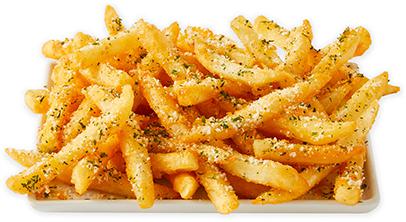 Sides and Starters
Guide overview
Sides and starters often explain why a meal total changed
Bonchon sides and starters can be easy to treat as extras, but extras still have nutrition rows. Fries, seasoned fries, onion rings, rice, kimchi, pickled radish, edamame, zucchini fries, potstickers, shumai, tteokbokki, takoyaki, and desserts can all change the total when they are part of the order.
This guide focuses on the planning workflow. Add each supporting item separately, compare what changed, and verify official details for current availability and ingredients before ordering.
How to use this page
Read the row, build the meal, then verify the source
The calculator is strongest when it is used as a comparison workflow. Browse the guide, open the relevant internal links, build exact rows in the calculator, and use official Bonchon pages for current restaurant-controlled details.
Each article in this guide set links back to related planning pages so visitors can move between calories, sodium, sides, protein, group orders, and source limits without losing the context of the full meal.
Sides
Treat sides as real nutrition rows, not background items
A side can shift calories, sodium, carbs, fat, or sugar even when the main item stays the same.
Fried sides and seasoned sides can add calories, fat, sodium, and carbohydrates. Rice can add carbohydrates. Kimchi and pickled items can affect sodium. Vegetable sides still need source rows because the preparation matters. The safest method is to add the exact side and serving shown in the calculator.
If you are choosing between two sides, build the same main item twice with different sides and compare the totals. This prevents the common mistake of judging the main item while ignoring what the side did to the final meal.
Open side categories
The menu guide lists side category examples and calculator-linked item cards.
Compare sodium carefully
Seasoned and pickled items can make sodium worth checking separately.
Starters
Shared starters need table totals and portion context
Starters can be planned as a table item, but the calculator cannot know how people will share them.
Potstickers, shumai, tteokbokki, takoyaki, bulgogi fries, corn dogs, and similar starter-style rows should be added when they are part of the order. The total represents the selected source row and quantity. If the starter is shared, decide separately how much each person expects to eat.
For family or group planning, build the full order first. Then talk about portion expectations. This keeps the calculator honest: it gives the source-backed table total, while people handle the real-world sharing decision.
Family meal planning
Use the group guide for shared starters, multiple chicken orders, and side combinations.
Use exact source rows
The calculator lets you add starter rows by quantity before comparing the full table total.
Rice, noodles, and handhelds
Not every supporting item is a side
Rice dishes, noodle dishes, buns, tacos, and sandwiches can function as mains or add-ons depending on the order.
A bowl or noodle item may be the main meal for one visitor, while a bun or taco could be an add-on for another. Read the source row, then decide how it fits the order. The calculator does not label a row as good or bad; it shows how it changes the meal total.
This is where category browsing helps. Scan Korean traditional items, buns/wraps/tacos, Asian fusion items, and sides in the menu guide, then open the calculator for exact totals.
Macro guide
Rice, noodles, buns, and sauces can change carbs and sugar while also affecting protein and fat.
Low-calorie guide
Compare realistic swaps when calories are the primary planning field.
Desserts and finishers
Add dessert after the main meal, not after the decision
Dessert can change sugar, carbohydrates, and calories after the main order looks settled.
When dessert is part of the plan, add it to the calculator before deciding the meal total. A dessert row can be small in the order flow but meaningful in sugar, carbs, or calories. If dessert is shared, treat it the same way as a starter: total the source row, then decide how it will be divided.
Availability can vary, and dessert rows can change with menu updates. Verify current official menu and nutrition details before treating a dessert comparison as current ordering information.
Nutrition guide
Use the nutrition guide to understand what the source dataset covers and leaves out.
Official menu
Use the official menu for current availability before relying on any dessert or limited item.
FAQ
Quick answers about this guide
Short answers for visitors using the calculator as a planning reference.
Are sides included in Bonchon chicken calories?
Do not assume so. Add sides separately unless the source row explicitly includes them in the listed serving.
How should I handle shared starters?
Use the calculator for the table total, then decide separately how the starter will be divided among people.
Source boundary
Independent guide with dated source references
This article is part of an independent Bonchon calorie calculator site. Nutrition values are planning references from the saved 2026-06 nutrition source and related menu snapshot. Verify current details through official Bonchon sources before ordering, especially for allergens, ingredients, sodium limits, medical diets, prices, and availability.